We’re out cruising in Vanuatu in places without much internet access. We have just enough internet rays to send and receive email (if we wait a long time!) but not enough for a real blog post.
Currently, we’re in Lamin Bay on Epi Island. We love it here. It’s beautiful and the people are wonderful, but we could say that about every place we’ve visited so far in this amazing country!
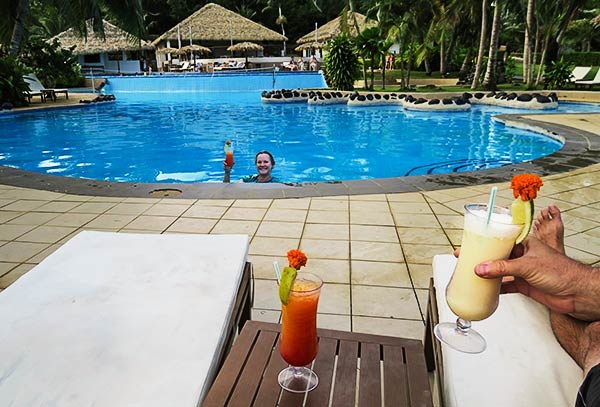
Cyndi soaking in the pool (with a drink) while she thinks about what to write in the blog post below about Tasmania. So much thinking! So much remembering!
Iririki Resort about 100 meters from where we were moored in Port Vila, Vanuatu.
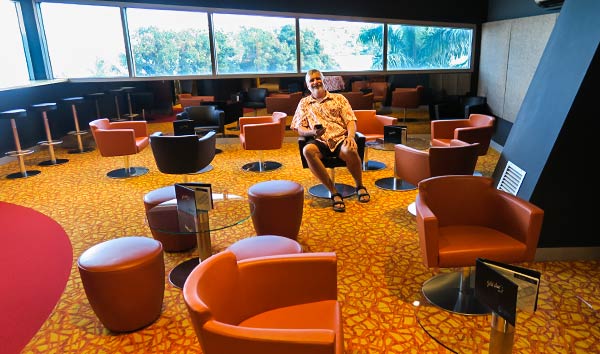
Today’s hardship: Having to wait in the VIP lounge for the movie to start…
Tane Cine’ Lounge
And having to choose from all the available recliners!…
Tane Cine’ in Port Vila, Vanuatu
At least we had wine to help us through the indignities…
All kidding aside, we really like the theaters we’ve found in the South Pacific with VIP seating. This one was kind of expensive (about $37 US for the two of us) but it’s a well-worth-it break from real life.
We saw the new Mummy movie with Tom Cruise. It was good entertainment, especially with a glass of wine! -Rich
We’ve heard over and over that there’s very little or no cell phone service and internet in Vanuatu until you get to Port Vila. That’s not what we’ve found. We had really good service starting at Aneityum, while at Tanna, OK service at Erromango and really pretty good here in Port Vila. I think the problem is that no one tells you what you have to do to get your phone to work, so I’ll try, step by step.
1. Buy a SIM card for your phone. There are two companies: TVL and Digicel. The general wisdom that’s getting passed around is to go with Digicel, but I don’t necessarily agree. Locals have told us TVL is better so that’s what we went with and it’s really been pretty good. A sim card is about 500 Vatu or about $5 US.
I’ll detail the steps for TVL since that’s what I have, but Digicel will be similar.
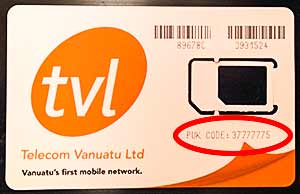
2. Install the SIM card. This shouldn’t have been too hard but it was. When I put the SIM card in my phone, it prompted me for a code. I finally figured out that it was asking for the “PUK” code that was printed on the card the SIM came with.
Each time I entered this number, it said it was wrong. It only gave me three chances to enter the correct number and said after that, the SIM would be inactive and I would have to contact TVL to resolve the issue. I tried three times with no luck. Then I turned my phone off and back on and tried again. It worked. But it also set my SIM password (PIN) to the PUK code so now, if I reboot, I have to enter this number again, but heck, it works!
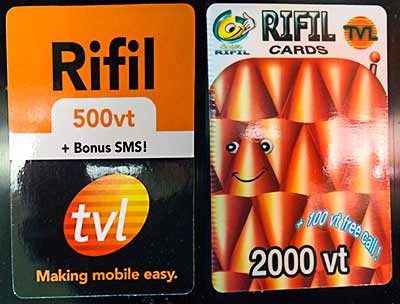
3. Buy recharge cards. You have to put some money in your account. The way to do this is with recharge cards that you can buy almost anywhere. Even tiny shops on Aneityum had them. There, I bought 500 Vatu cards. In Port Vila, at the big grocery store, I found 2000 Vatu cards.
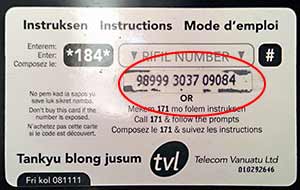
Scratch off the scratch-and-sniff stuff on the back of the card (don’t sniff!) and that’s your recharge number.
Call 171 on your phone (with the new SIM card installed) and select option number one. It’ll ask you to enter the 14 digit number from your card. That’s all there is to that step.
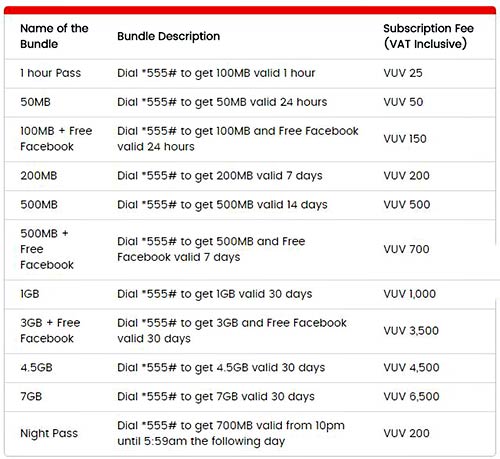
4. Buy an internet package. You’re not done until you buy an internet package. If you don’t do this, they’ll charge you a ton of money for each megabyte you use, and your account will be drained after reading three emails!
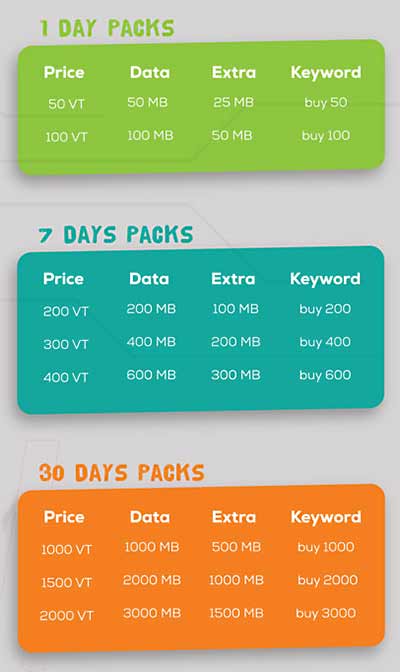
To buy an internet package, dial *183# and follow the prompts. You’ll want option 3 – buy WAO internet package (whatever WAO means!?) From there, you can select daily, weekly or monthly packages. I buy the 600 MB weekly package. Here are the different package options…
If you were to use your “Extra” data (midnight to 6 AM), you can get the cost down to $4.44 US per Gigabyte. Not bad. Here are Digicel’s plans below. Quite a bit more expensive!
Digicel Vanuatu Data Plans
5. Enter the correct APN. (Here’s the step that very few people know about and if you send me $200 and a case of beer, I’ll tell you how to do it. Just kidding. Beer’s too hard to send 😉 )
This process will vary depending on the phone you have. You can always search Google for something like “setting APN on ___ phone” (fill in whatever phone you have). You could if you had internet that is. Catch 22. (Of course, I guess you’re not reading this without internet!)
On a pure Android phone, you go to settings / wireless and networks / more and select “mobile networks.” From there, select “access point names.” If you have an entry for “SMILE” there, select it and change the APN to TVLWEB.NET.VU (for TVL – Digicel is different). Then make sure you hit save and that this network is selected.
(For Digicel, set the APN to web.digicelpacific.com)
Sometimes there are different settings for iPhones. Not so in Vanuatu. Side note: Sometimes you can use the iPhone APN on an Android phone and get better internet speed.
If you leave the APN as is – usually “default” – you might get internet but it’ll be SLOW, SLOW, SLOW.
You may also have to search for available networks and select SMILE or TVL. Sorry for the lack of details here but every phone is different – even Android phones (Samsung has to change things for the sake of change, and we won’t even talk about iPhones).
Sometimes, when you move from one island to another, you need to get your phone to re-register with the network. The easiest way to do that is to power your phone off and back on.
I really hope I’ve given you enough here for you to have the same good internet results we’ve had in Vanuatu. -Rich